Review Inbox
Attention has a queue—and missing data keeps its name.
Filter All, Data gaps, Needs review, and On the radar without changing the underlying queue or hiding its total.
See this workflow in the docs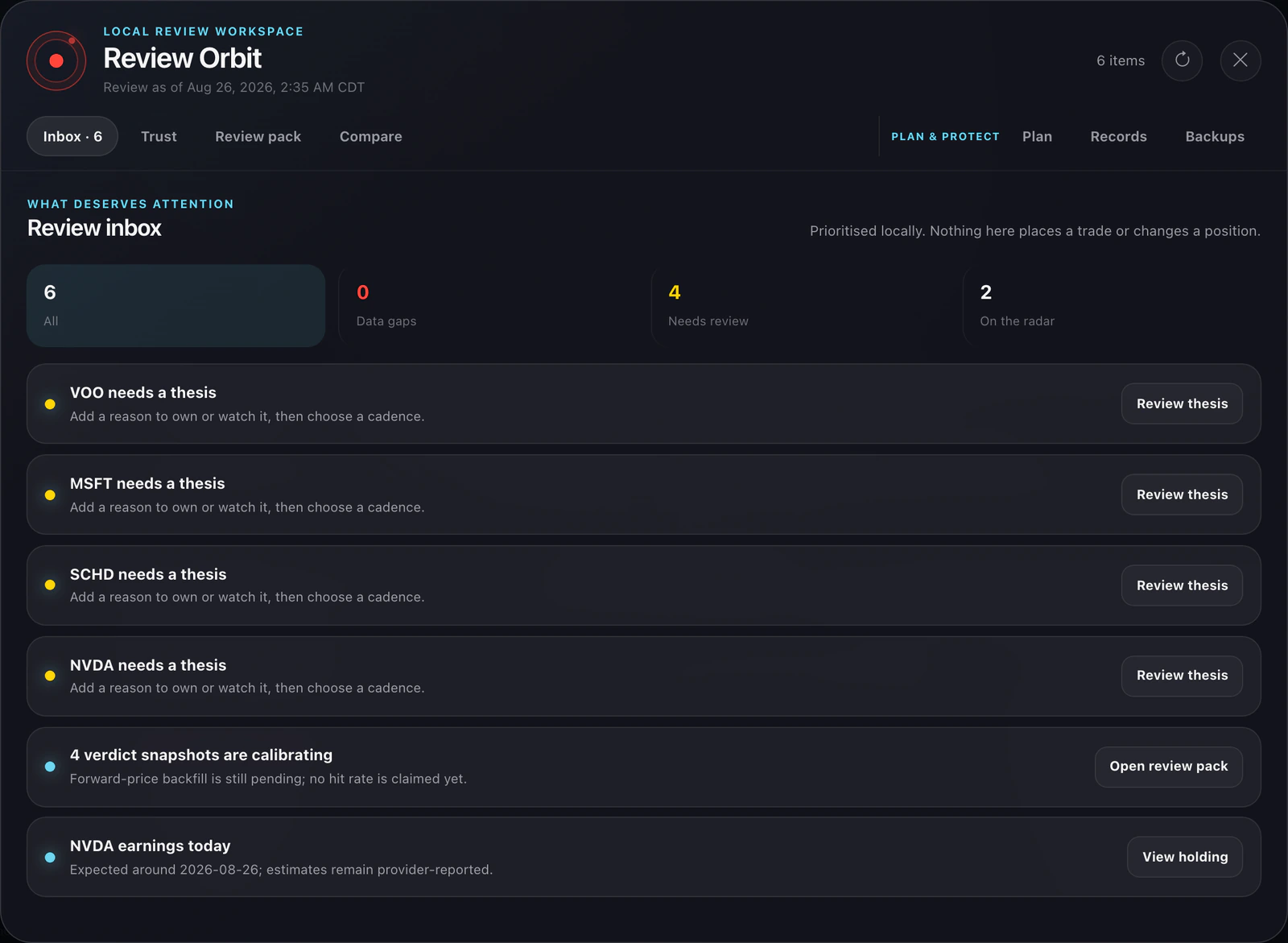
 FolioOrb
Local-first portfolio review
FolioOrb turns holdings, risk, news, and public market context into an explainable review loop—then keeps its queue, receipts, and backups on your machine. Claude is optional. There is no telemetry, brokerage connection, or automatic trade.
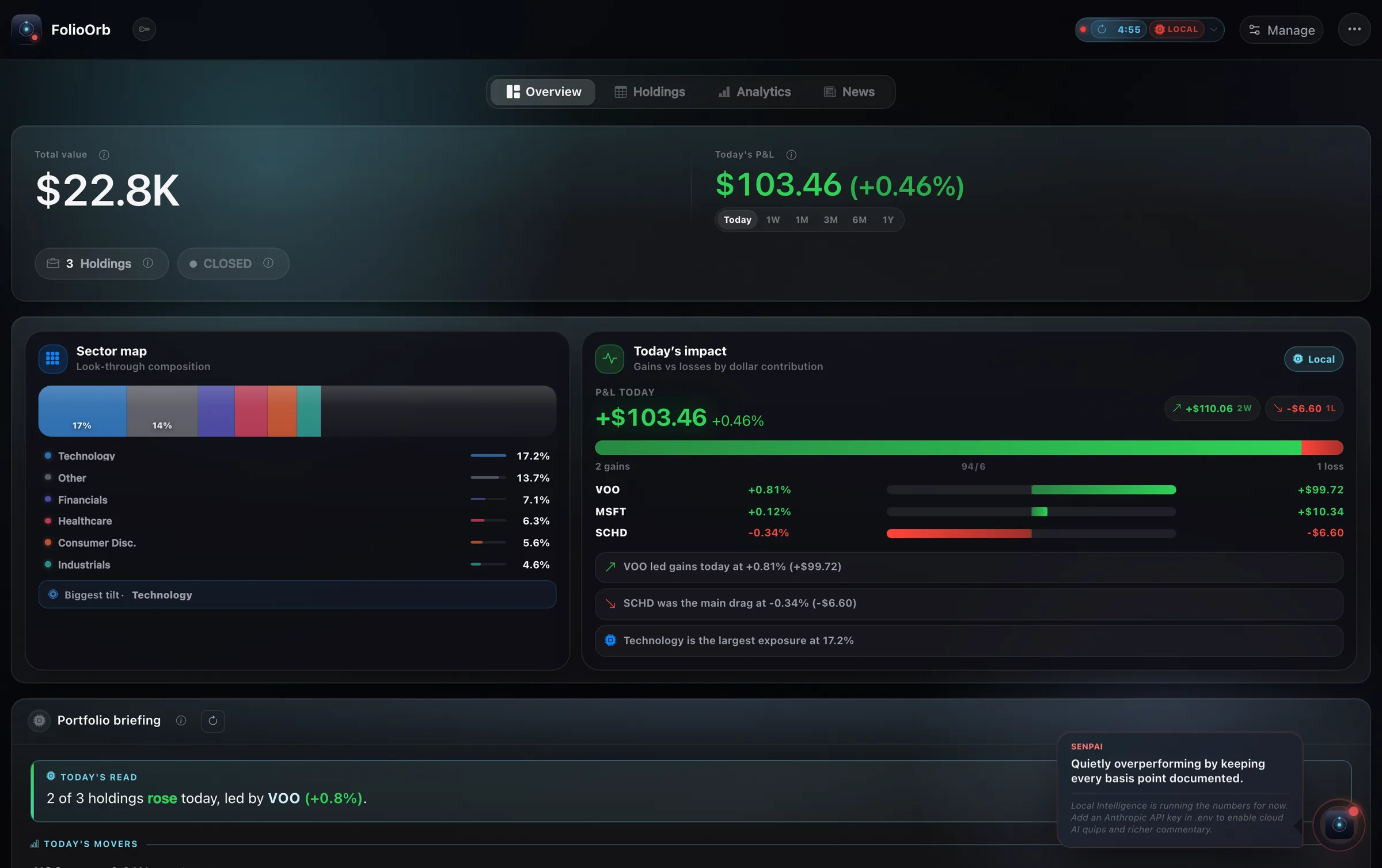 Known valueLocal read
The review loop
The interface follows the same path each time, so a read can become a decision trail instead of another dashboard glance.
Holdings
Add positions, a strict CSV, or research-only tickers. No brokerage link and no FolioOrb account.
Local read
Known USD value, exposure, risk, filings, dividends, and news stay tied to their source quality.
Attention
Review Orbit separates data gaps, thesis work, reminders, comparison, and planning.
Record
Save receipts, snapshots, readable records, verified backups, or one checksummed review bundle.
Product proof
Each major claim below is anchored to a current app surface captured from an isolated fictional profile.
Review Inbox
Filter All, Data gaps, Needs review, and On the radar without changing the underlying queue or hiding its total.
See this workflow in the docsPlan & Protect
Set exact basis-point targets, see quote exclusions, rehearse one external-cash USD buy, and export a descriptive snapshot.
See this workflow in the docs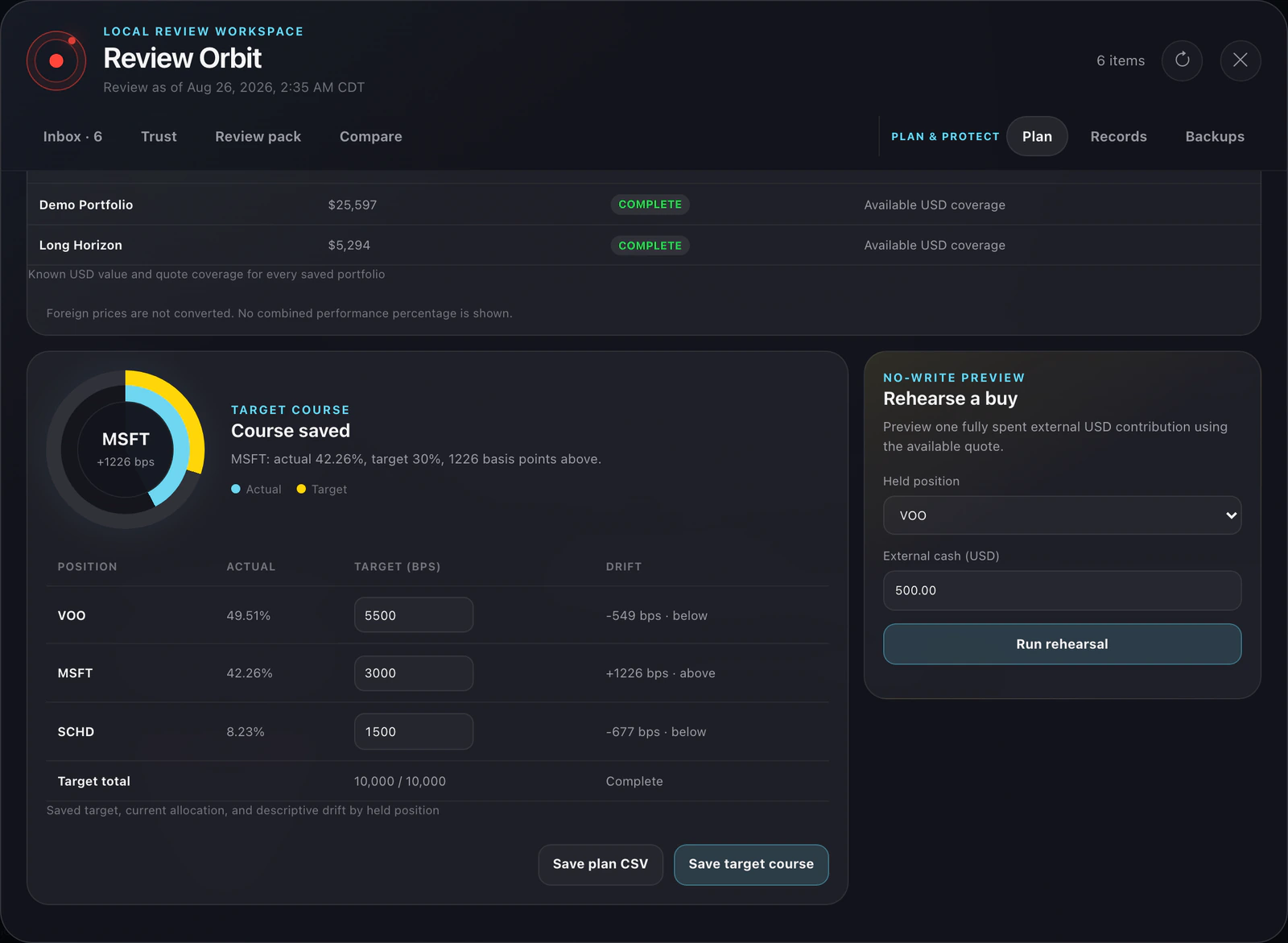
Analytics & risk
Concentration, drawdown, volatility, beta, correlation, and exposure explain what they cover—and what they cannot.
See this workflow in the docs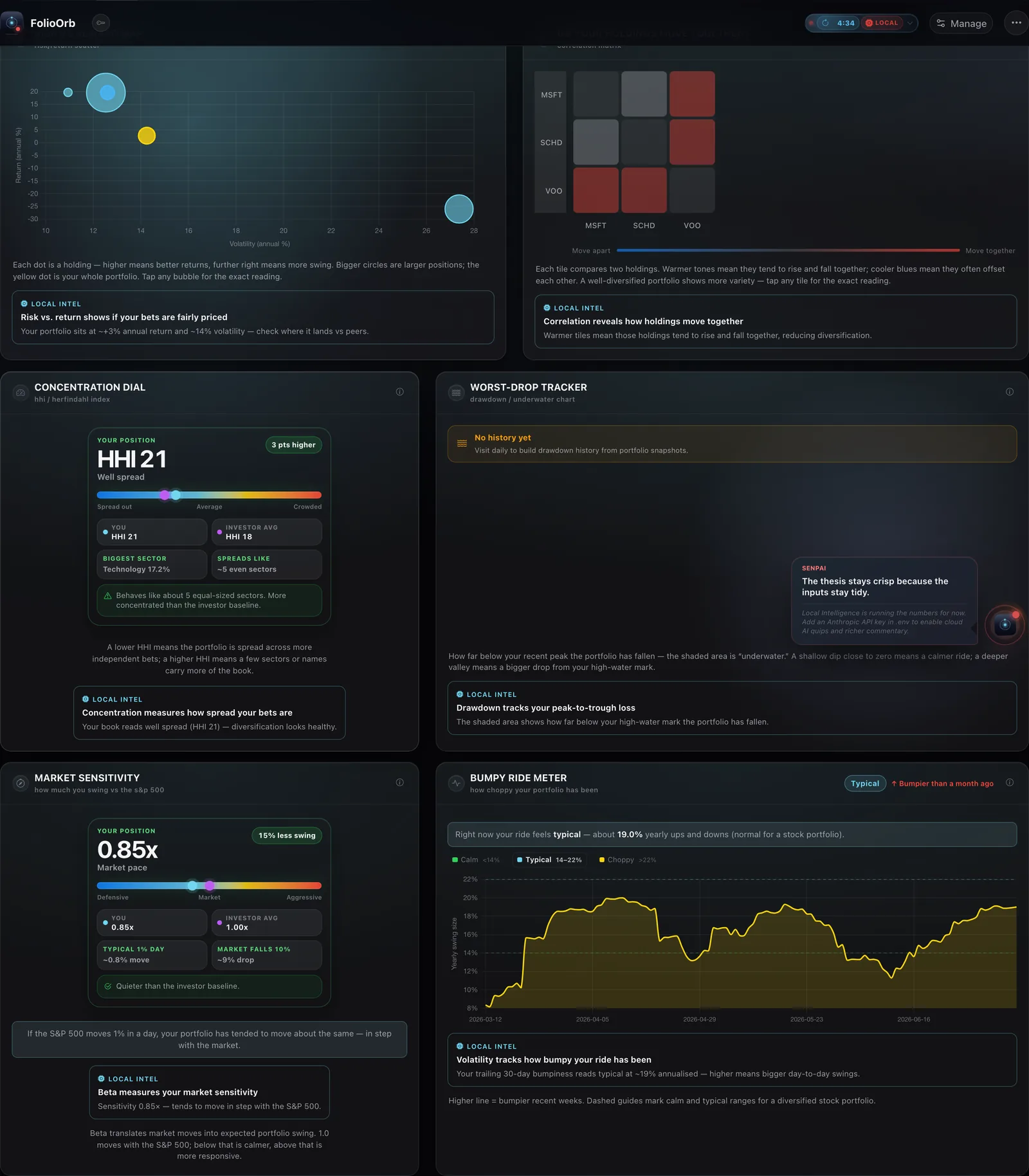
The trust boundary
FolioOrb is not offline-only. It makes specific outbound requests for specific jobs, while portfolio state remains local.
Holdings, costs, notes, thesis text, snapshots, settings, backups, receipts, and cached generated summaries.
Public quotes, history, headlines, and indices are fetched on demand. Bounded lookups go to Yahoo Finance, SEC EDGAR, Treasury, GitHub, news image hosts, and—when configured—Anthropic.
No brokerage connection, order placement, cloud portfolio upload, telemetry, silent FX conversion, or invented zero.
Current source · v5.16.1
This patch refreshes documentation and moves one-line source installs onto a durable profile outside the replaceable code tree. Core portfolio behavior remains the v5.16 hardening release:
Run it your way
Every path runs FolioOrb locally. Desktop installers need no Python; the source path supports macOS, Windows, and Linux.
No Python or terminal. The build is ad-hoc signed but not Developer ID signed or notarized, so Gatekeeper warns on first launch.
Open the latest `.dmg`macOS install guide →Per-user installer with no administrator requirement. It is not Authenticode signed, so SmartScreen may warn on first launch.
Open the latest `.exe`Windows install guide →Clone the source, run one setup script, and open the same dashboard at localhost:8000.
One-line source setup
curl -fsSL https://raw.githubusercontent.com/udhawan97/FolioOrb/main/scripts/install-mac.sh | bashirm https://raw.githubusercontent.com/udhawan97/FolioOrb/main/scripts/install-win.ps1 | iexVerify before opening
Current v5 releases include `SHA256SUMS.txt`. It detects mismatch against that same release's manifest; Minisign authenticity is not configured.
grep 'FolioOrb-macOS-arm64-v5.16.1.dmg$' SHA256SUMS.txt | shasum -a 256 -c -Keep going
Use the guide for first launch, the release page for exact artifacts, and the issue tracker when a documented path does not match what you see.