macOS
Apple Silicon · macOS 13+
Requires macOS 13 or newer. Move the native app to Applications so future updates can replace it safely.
Download for macOSVoyalier gathers confirmations, research, readiness, and the plan itself into one calm workspace on your device. Suggestions wait for you. Travel-day views return to their records. Connected help waits for a click.
Keep the imported origin.
Approve one candidate at a time.
Use deterministic local checks.
Come back to the exact context.
Voyalier helps organize and check a trip. It does not book it, watch it in the background, or inherit authority from a government page.
Five current-source views show the whole idea: keep the source, preserve the uncertainty, bring forward only what the traveler approved, and keep the return path intact.
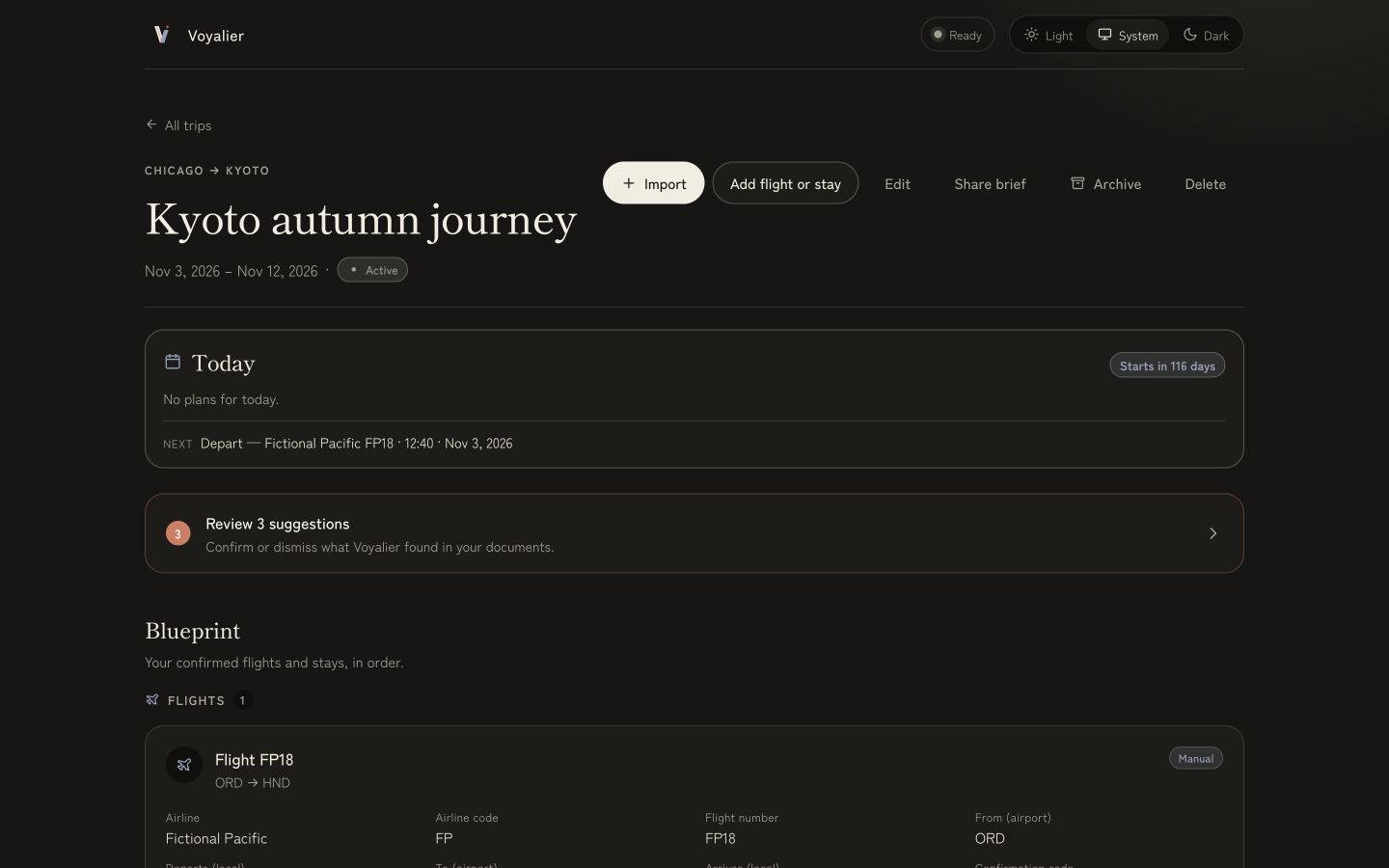
Read the first-run guideToday · Day 2 from local records
Today stays a local projection of the plan. Every departure, arrival, check-in, and traveler-authored item can open the exact record that produced it, without putting that target in the address bar.
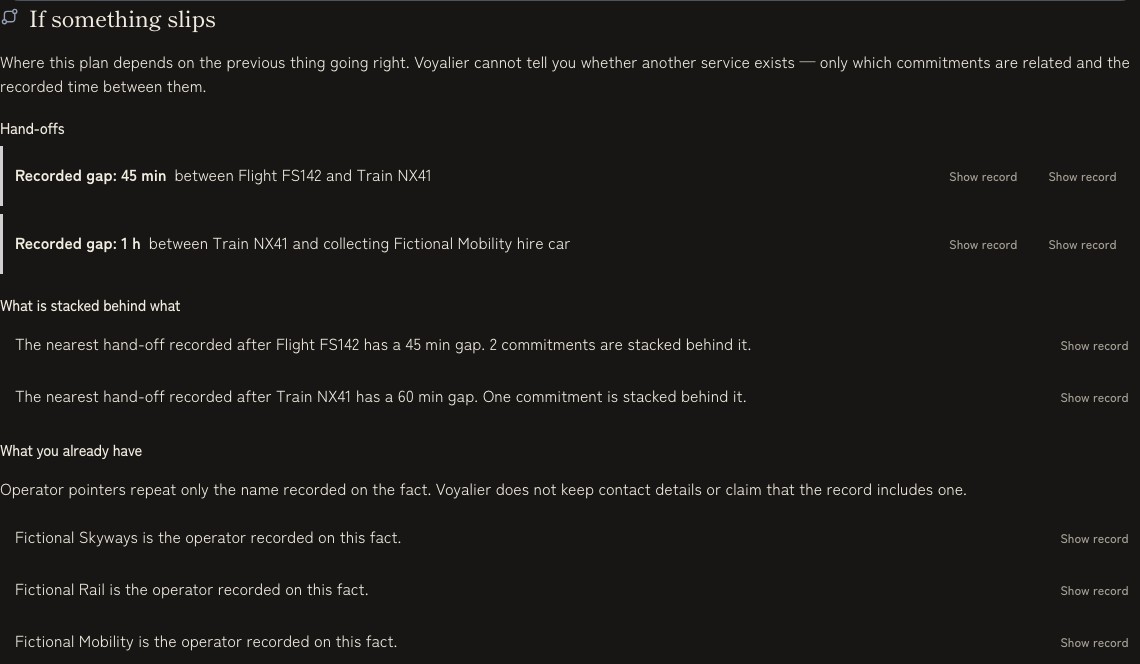
Plan · deterministic disruption continuity
If something slips shows recorded handoff gaps, the commitments stacked behind a leg, and operator names already stored on local facts. It does not display connection grades, fetch live status, or claim another service exists.
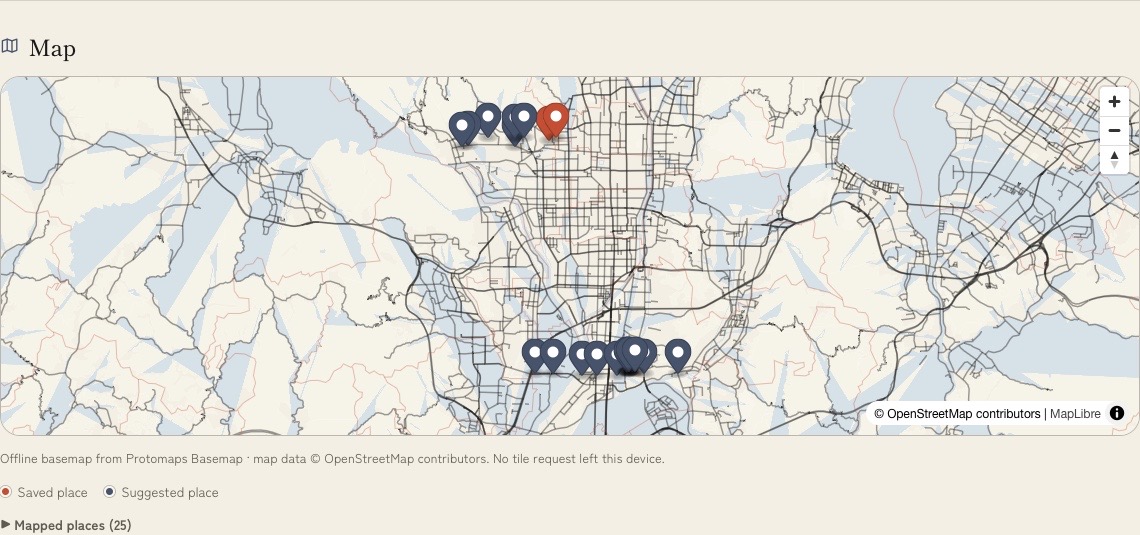
Discover · saved shortlist and suggestions
Saved places lead the marker set, suggestions stay visually separate, and the same list is available as text. Hours, prices, access, availability, and safety remain outside the claim.
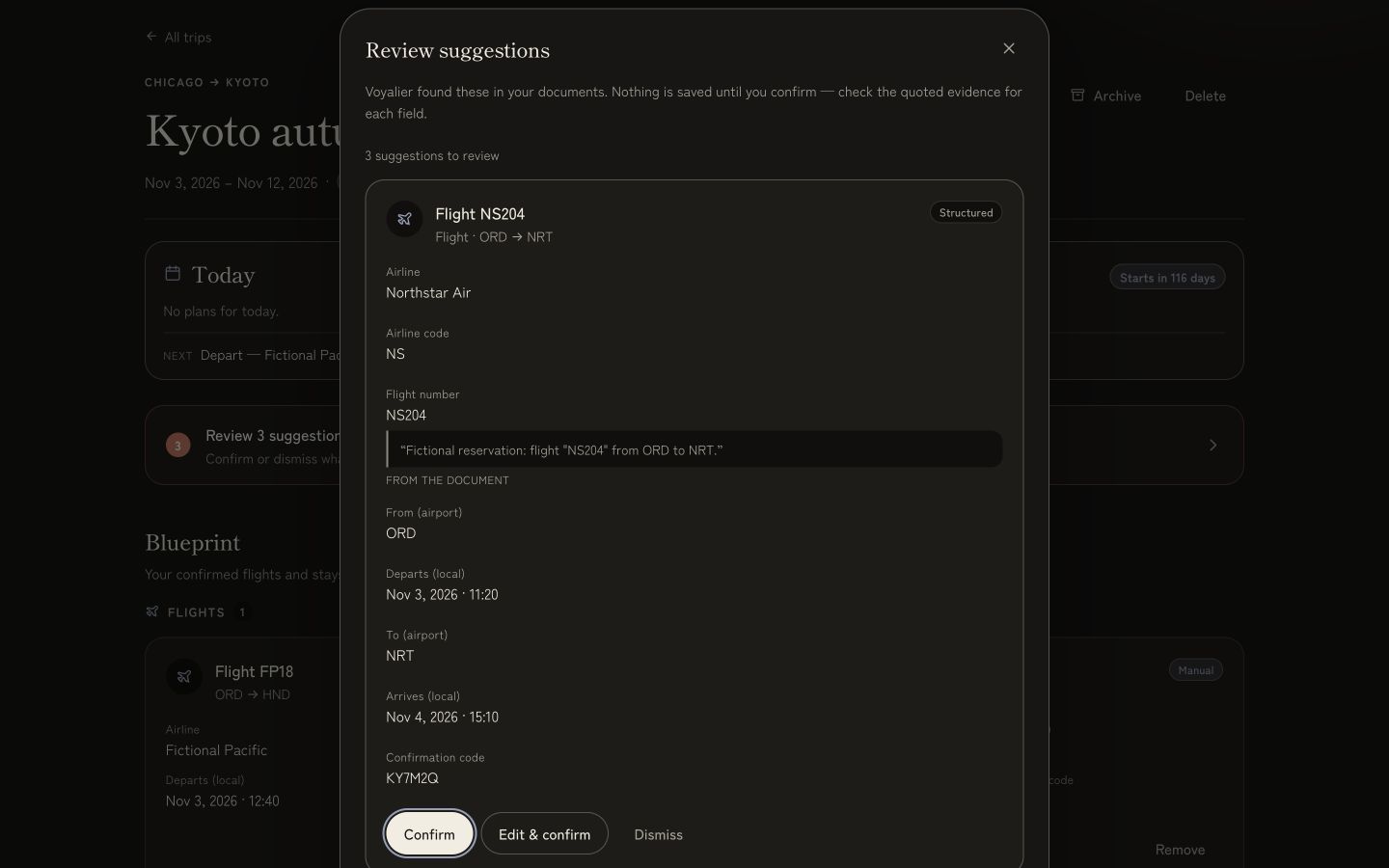
Review · fictional sample confirmation
Narrow the queue by warning, fact type, or extraction method, then compare the excerpt and decide one suggestion at a time. Nothing becomes a trip fact on its own.

Prepare · visa and entry cockpit
Visa and entry preparation points back to the official source, records when it was read, and says plainly what Voyalier has not verified.
Pick your machine. Every option keeps your trips on this computer; only how you open Voyalier changes.
Apple Silicon · macOS 13+
Requires macOS 13 or newer. Move the native app to Applications so future updates can replace it safely.
Download for macOS64-bit · EXE
Use the standard setup app. An MSI package remains available on the release page for managed installs.
Download for WindowsNode 24+ host · browser
Use the browser version on a supported Linux or Intel Mac. Check the setup guide before installing the required tools.
Open setup guideLatest stable installers are resolved from GitHub Releases. The fallback always opens the release page.
The desktop installers are public beta builds without paid platform publisher identity; macOS is not notarized and Windows may show SmartScreen. Releases publish SHA-256 checksums, and Voyalier verifies signed updater downloads before installation.
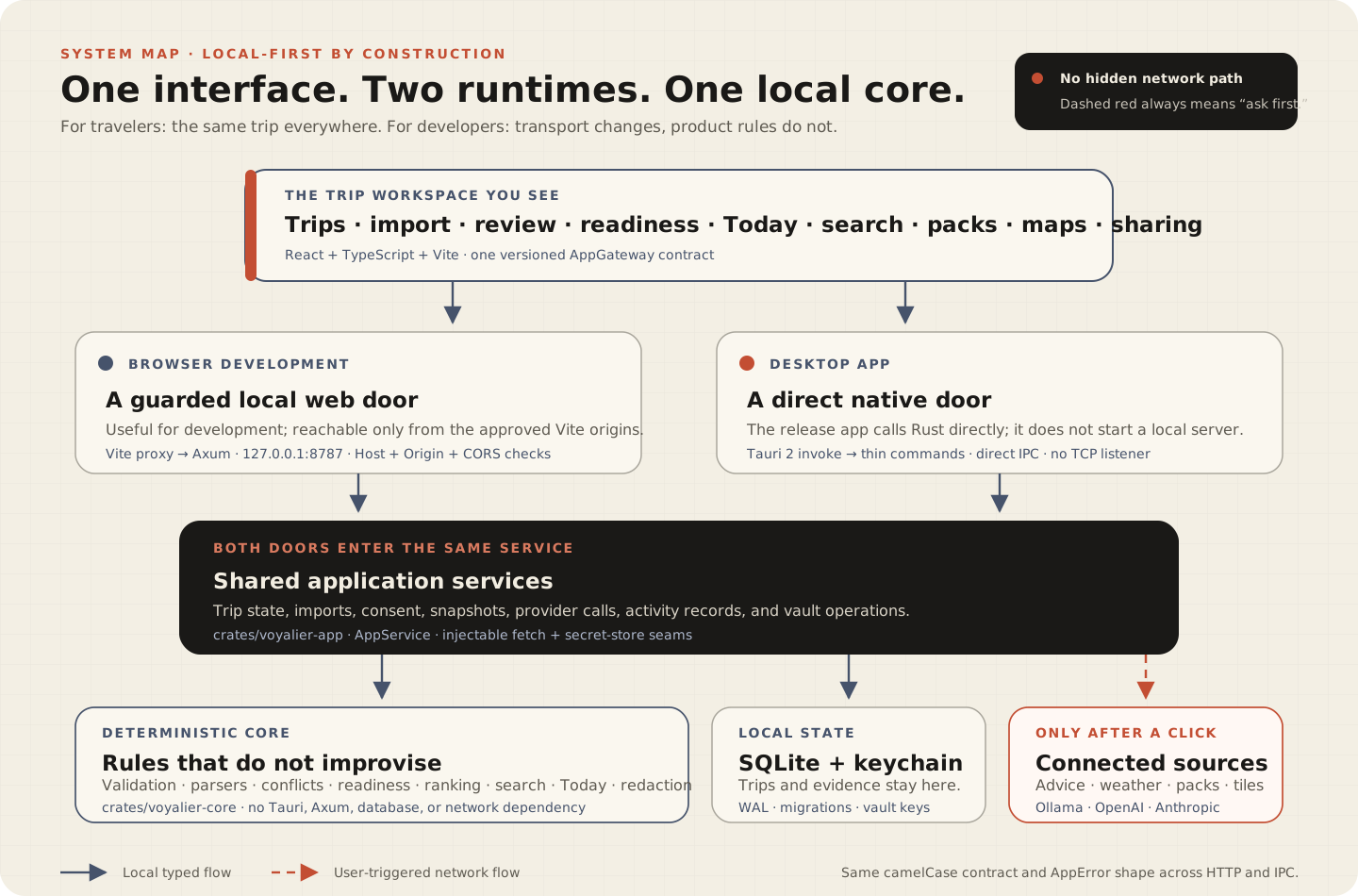
Read the install guideParsing, validation, search, readiness, recommendations, Today, disruption continuity, and redaction are deterministic. Optional Ollama, OpenAI, or Anthropic help sits beside that loop with preview and consent.
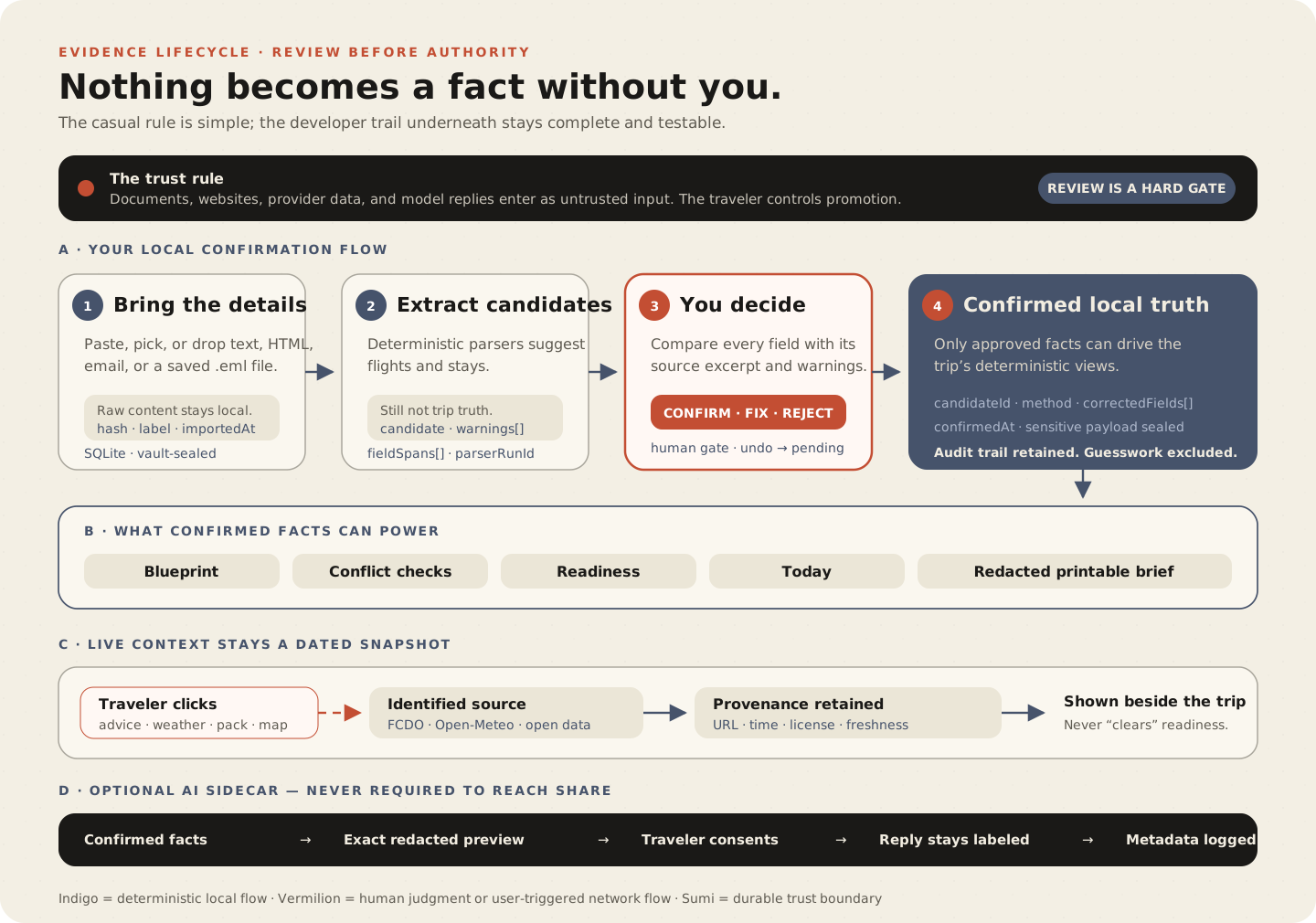
The native desktop shell uses direct Tauri IPC. The browser development path uses a loopback-only server. Both call the same application service and deterministic Rust core.