
Meet Senpai

Every dashboard needs one thing staring back at you while your net worth does whatever it’s doing today. That’s Senpai — the small orbiting mark beside the dashboard. On a desktop it settles into the lower corner. On a phone it occupies its own compact row after the financial content, so commentary never sits on top of values or controls.
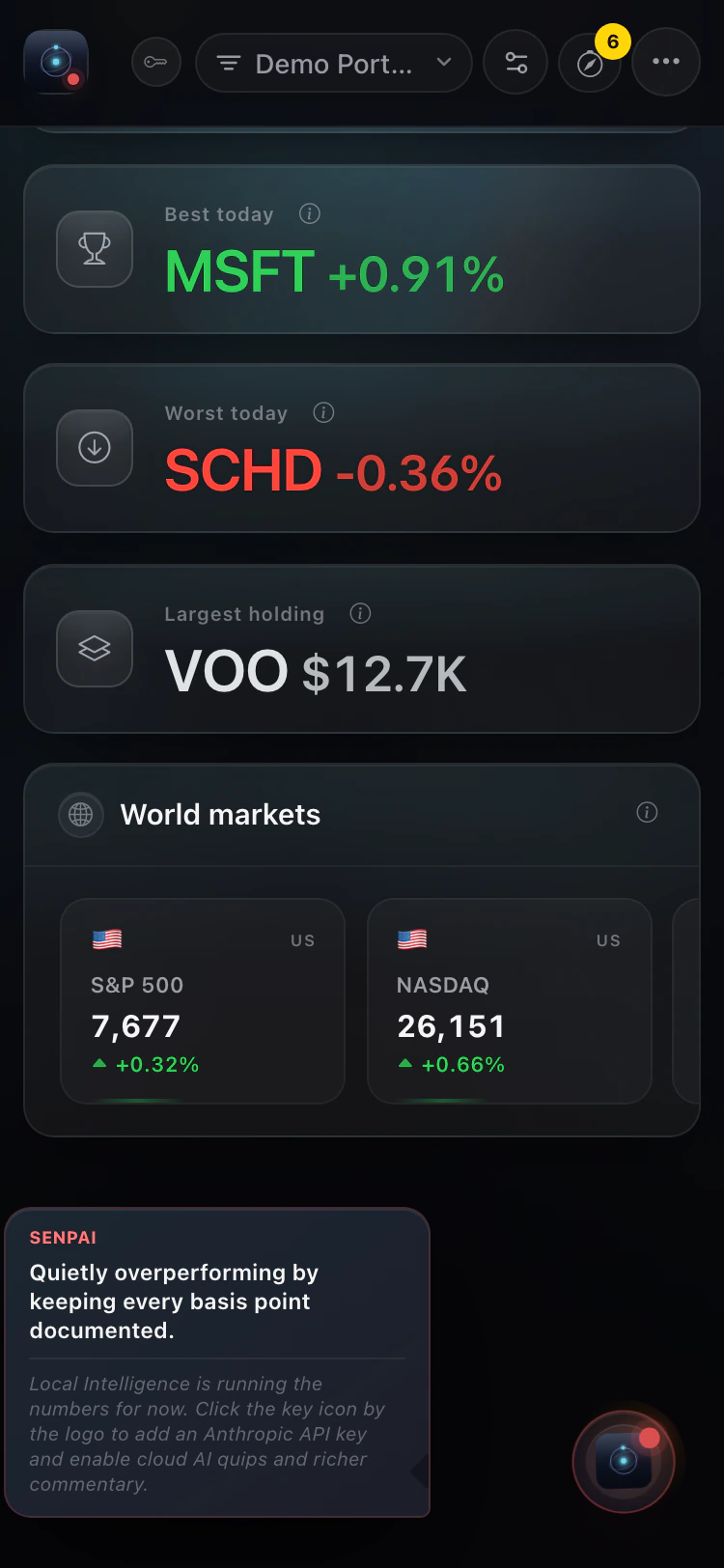
Senpai has moods
Section titled “Senpai has moods”Senpai’s commentary changes depending on what’s actually running underneath it:
- Claude connected — sharp, a little smug, and not shy about narrating exactly what your portfolio is doing
- Local Intelligence only — dry, matter-of-fact, entirely unbothered by the absence of an API key
- Claude offline — quietly sympathetic, acknowledging the outage without making it weird
Interacting with Senpai
Section titled “Interacting with Senpai”- Tap the orb to open or close the current line; tap an open line to cycle on demand
- Leave it alone and it will cycle on its own every so often. On a phone, automatic activity shows the compact indicator without opening the full line
- Hide it from the overflow menu’s Intelligence section if you’d rather check your portfolio in peace
What Senpai is not
Section titled “What Senpai is not”Senpai doesn’t manage your portfolio, doesn’t place trades, and isn’t a substitute for the verdict engine or action plan. Senpai has opinions about your portfolio. Whether those opinions are useful is between you and Senpai.