
Architecture overview
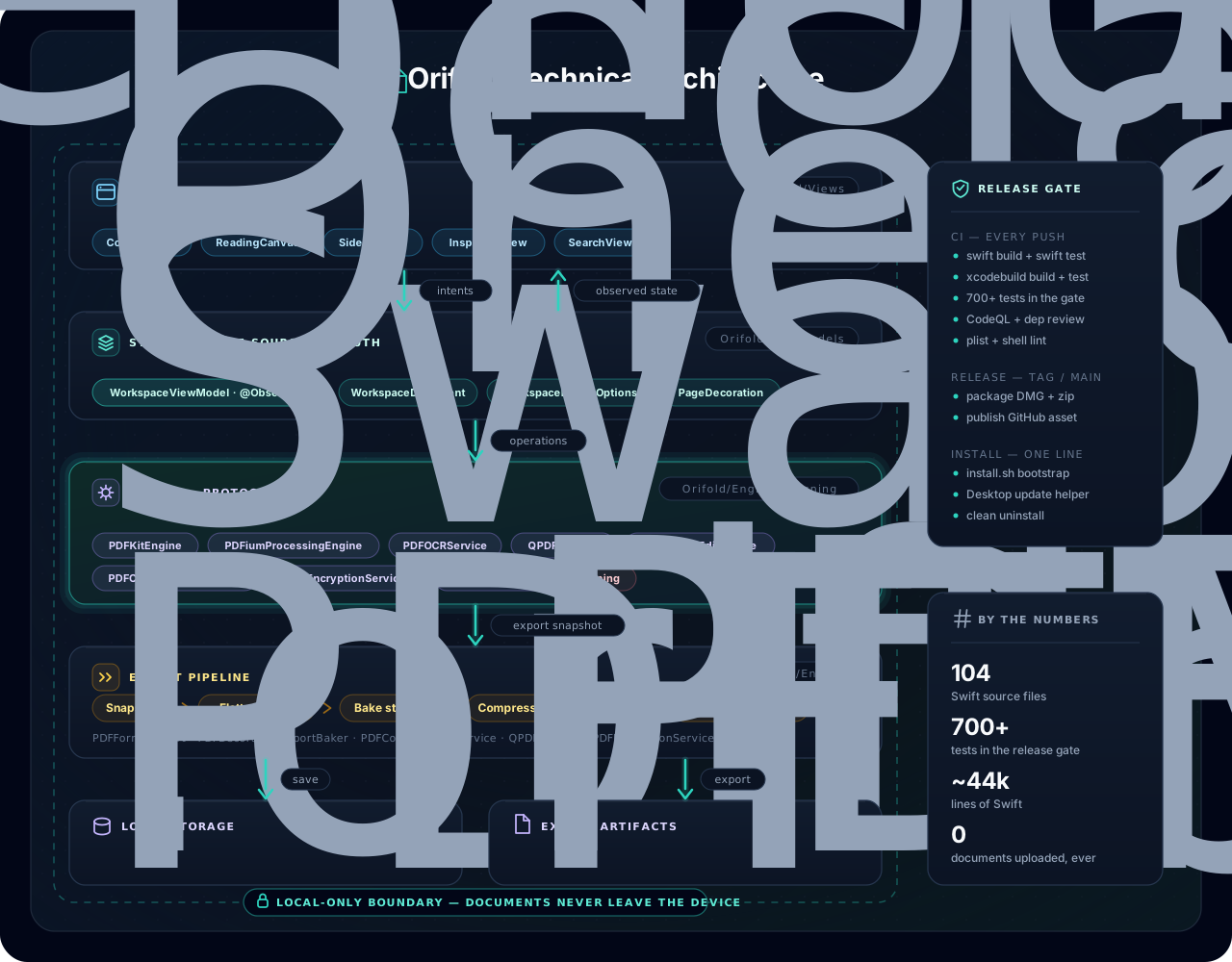
Orifold follows a unidirectional flow: SwiftUI views send intents to one observable view model, local PDF engines behind protocol seams do the work, and a staged export pipeline writes validated artifacts. Document bytes stay on the Mac; only user-authorized update checks/downloads, timestamp-candidate requests that send a signature hash, and system-managed translation language-model downloads use the network. Timestamp candidates are not embedded by current builds.
Layers
Section titled “Layers”| Layer | Responsibility |
|---|---|
| SwiftUI app | Document window, sidebar, canvas, annotation toolbar, Contents, read-aloud transport, read-only translation panel on macOS 15+, search, eight-tab inspector, password prompts, export controls, empty-state Recently Viewed shelf, language switcher |
| Workspace state | Imported documents, page order, outlines, text/object edit operations, canonical replay bases, undo snapshots, metadata, attachments, comments, tags, signatures, form summaries, decorations, recent-file history |
| PDF services | PDFKit display/composition, safe in-memory CBZ-to-PDF conversion, versioned shared PDFium page/structure inspection, deterministic text+object replay, PDFium structural object editing/image compression/imposition/validation/glyph geometry, qpdf repair/metadata/attachments/AES-256/sanitize/structural validation, Vision OCR/barcode scan, Apple on-device Translation on macOS 15+, Core Image barcode generation, form flattening, decoration baking |
| Signing | CMS/PAdES B-B construction, PKCS#12 · Keychain · self-signed identities, signing-certificate trust evaluation, fail-closed RFC-3161 candidate requests |
| Local storage | Saved PDF data, workspace metadata, source payloads, comments, signatures, page edit state |
| Release tooling | One-line installer, package builder, Desktop update launcher, uninstaller, GitHub Actions release asset, validation tests |
Project layout
Section titled “Project layout”Orifold/ App/ App entry point, command wiring, keyboard-shortcut registry DesignSystem/ Shared visual tokens and styling Document/ macOS document package read/write support Engine/ PDF/CBZ loading and conversion, repair, OCR, translation seams, metadata, attachments, structure, imposition, compression, encryption, sanitize, forms, export, Recently Viewed store Models/ Workspace, page, annotation, comment, export, decoration, comfort, and recent-file models Pet/ Gami & Ori, the in-app companions, plus hint bubble/placement logic Resources/ App metadata, entitlements, assets, Localizable.xcstrings (6 languages) Signing/ Digital-ID providers, CMS construction, timestamp-candidate boundary, trust evaluation, appearance ViewModels/ Workspace state, document operations, search, export, undo Views/ SwiftUI interface componentsPackages/ Vendored binary engines — PDFiumBinary, QPDFBinary (universal static libs)Tests/ Test suites run in the release gateThe staged export pipeline runs in a fixed order, and validation gates the write
Export is a sequence, not a single call: capture attachments → reconcile edits → assemble, flatten, and bake decorations → compress (optional) → impose booklet/N-up sheets (optional) → write bookmarks when page mapping remains one-to-one → re-inject attachments → sanitize (optional) → encrypt (optional AES-256) → structural validation. The final validation gates the write: if the artifact is not sound, it never reaches disk. Sanitize deliberately runs after attachment re-injection so a share-safe export still removes embedded files; imposition deliberately omits original bookmarks because destinations no longer map one-to-one.
Committed text and object edits replay through one member-atomic path
WorkspaceEditReplayEngine takes canonical member bytes plus the committed text and object operations. It applies structural object changes first, imports transparent text-edit overlays as Form XObjects, grafts live annotations/form state with qpdf, and finishes rotations plus combined bake stamps through PDFium SaveAsCopy. PDFKit may serialize the live view as an annotation/form source, but those bytes are never used as the replay destination’s page-content base. Load/export reconciliation uses the same path, so stale bytes self-heal without one editing lane reverting the other.
Page-object consumers share one versioned PDFium inspection snapshot
PDFPageObjectInspection walks an admitted page’s PDFium objects once and projects three views: text render-mode regions, PageGraphicsIndex rule lines, and the editable PageObjectMap. The workspace assigns canonical member bytes a revision token and retains each admitted PageRef for that revision, so text and object consumers reuse one snapshot even after visiting many pages. Per-revision and process-wide page/projection-cost ceilings fail closed rather than evicting and rescanning accepted snapshots; replacing canonical bytes invalidates the token. Permission and live page rotation are projected without rescanning.
Canvas event ordering is a state-machine contract
CanvasInteractionSession turns tool changes, Delete/Escape, geometry changes, and object mutations into ordered actions. The AppKit coordinator interprets those actions, keeping undo-manager alignment, document swaps, selection cleanup, and overlay refresh order in one testable place.
Import goes through a text-layer-preserving normalizer, not a plain re-serialize
PDFKit’s dataRepresentation re-serialization drops certain text layers (Type3 / Skia-drawn glyphs), which historically caused edits to “land on top” of invisible original text. Import instead runs through a qpdf-preserving normalizer so the real text layer survives into the workspace, and text-edit geometry is measured from PDFium’s actual glyph transforms rather than re-derived. See the Developer FAQ for the full story.
Engines sit behind protocol seams, so they're swappable and testable
Each engine is reached through a protocol (PDFProcessingEngine, signing contracts, and so on) rather than called directly. That seam is why the compression backend can be swapped, why signing can be driven by a test harness with a self-signed identity, and why the suite can exercise the pipeline without the real binaries in every path.
By the numbers
Section titled “By the numbers”Swift 6.1+ toolchain with the current pinned dependencies, SwiftUI with native AppKit/PDFKit bridges. 344 source files, roughly 107,000 lines, 1470 discovered Swift test methods (execution and skips vary by runner), 6 languages, 4 sandbox entitlements.