
The Orifold window
Every Orifold workspace is built from the same four regions.
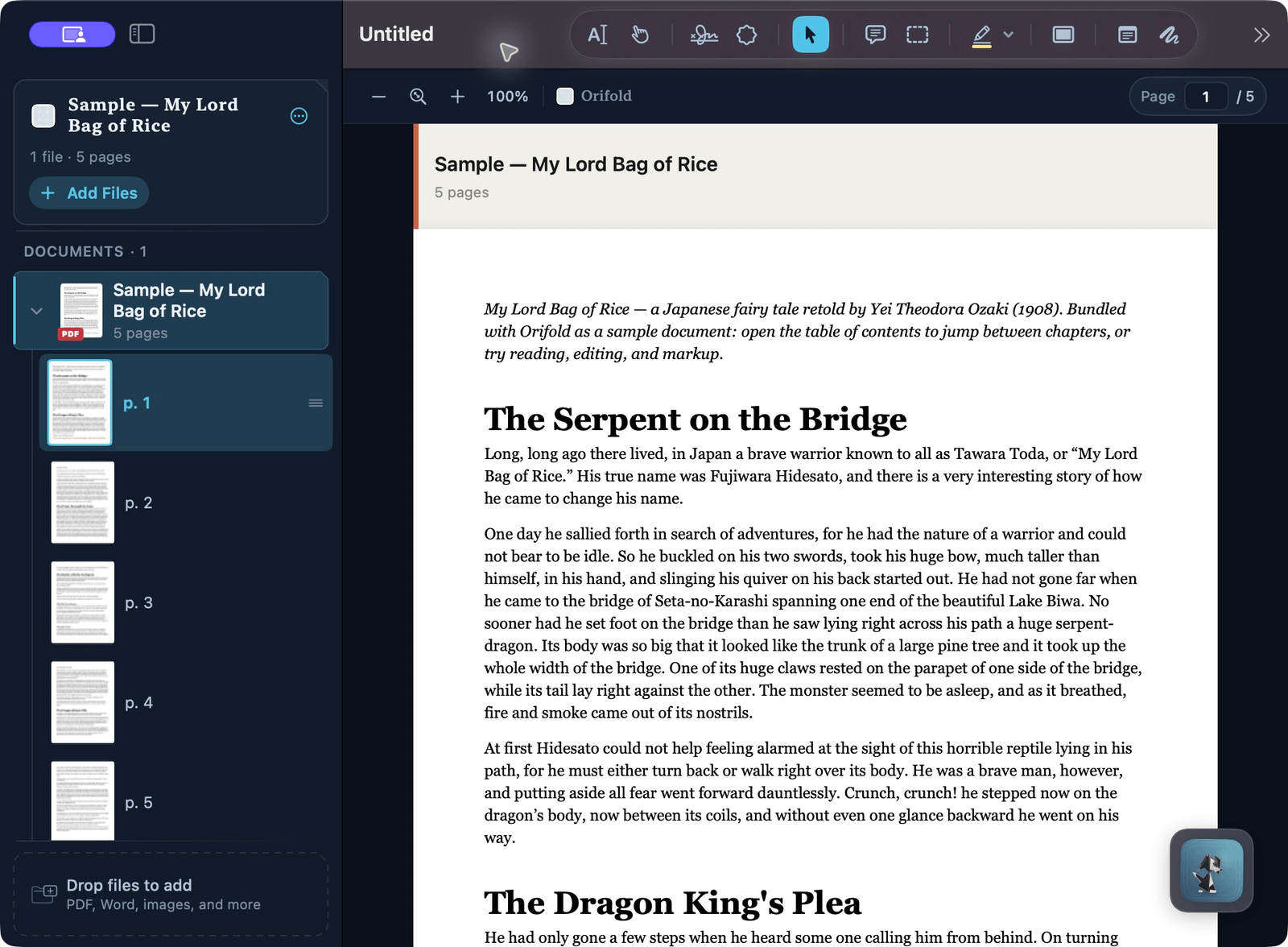
Sidebar
Section titled “Sidebar”Lists every document and page in the workspace. Drag to reorder pages, right-click to rotate or delete, and use it to jump to any page. The Recently Viewed shelf lives here too when no workspace is open.
Canvas
Section titled “Canvas”The page itself — where you read, click to edit detected text, place text boxes, annotate, sign, and fill forms. The page-control bar shows your position in the document and a live zoom percentage — click the percentage to return to actual size (100%). ⌘F opens workspace-wide search, and its match counter stays in the same bar after you close the search popover.
When a PDF carries its own page numbering — roman front matter, an offprint that starts at 247, an exhibit numbered A-7 — that appears after your position, as 3 / 320 · iii. It shows only when the document genuinely carries those numbers and they say something your position doesn’t; a plain document just reads 3 / 320. Type a page number in the field to jump; it takes the position, not the printed label.
Annotation toolbar
Section titled “Annotation toolbar”Highlight, underline, strikeout, notes, ink, text boxes, and stamps live here. Export is a direct toolbar action. Reader Mode, Contents, Read Aloud, Document Comfort, barcode tools, archival-readiness guidance, and—on macOS 15+—read-only translation are behind More (⋯) or in the macOS menus.
Inspector
Section titled “Inspector”Eight focused tabs cover Info, Tags, Comments, Markup, Decorate, OCR, Attachments, and Structure. Info edits title, author, subject, and keywords; Attachments manages embedded files; Structure shows the current page’s tagged reading-order tree without changing it.