
Change the app language
When to use this
Orifold launched in the wrong language, or you’d rather use it in one of the other five supported languages.
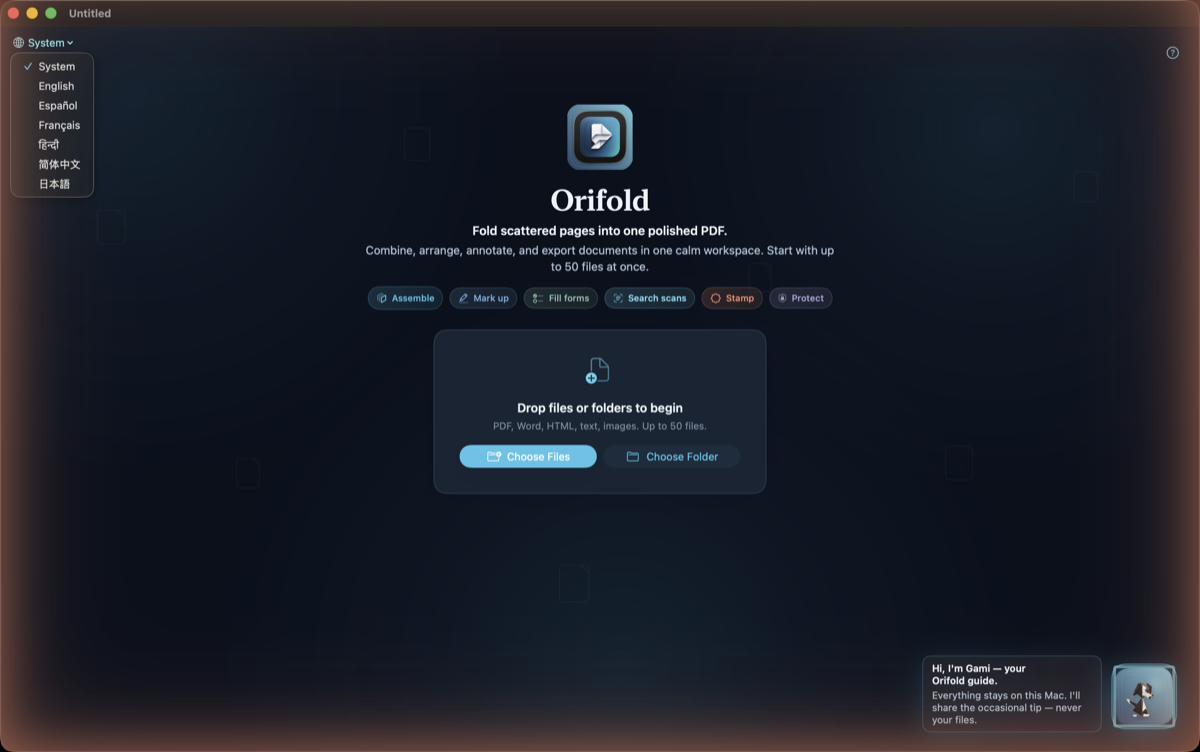
- On the landing screen, open the language switcher.
- Choose English, Español, Français, हिन्दी, 简体中文, or 日本語.
What you should see
Section titled “What you should see”The interface updates immediately in the language you chose, and your choice is remembered across future launches. That includes the About and Software Update window titles — no relaunch needed.
Note
Each language name appears in itself in the switcher, so even if you’re lost in the wrong language, you can still find yours.