
Document Comfort
When to use this
You’re reading for a long stretch and the bright white page is tiring your eyes.
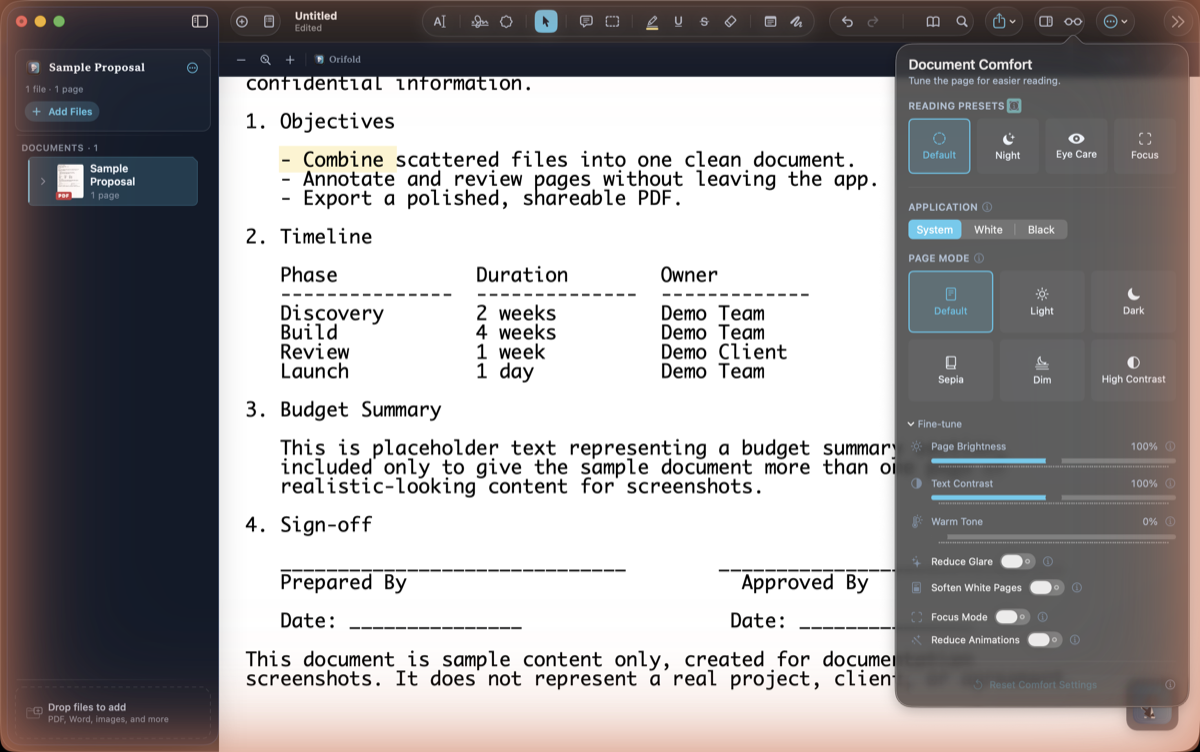
- Click More (⋯) in the toolbar, then Document Comfort.
- Pick a reading preset under Reading Presets: Default, Night, Eye Care, or Focus.
- Open Fine-tune for direct control over Warm Tone, Page Brightness, and Text Contrast, plus Eye Care toggles for Reduce Glare, Soften White Pages, and Reduce Animations.
What you should see
Section titled “What you should see”The page tint, brightness, and contrast change immediately; switch presets or fine-tune settings anytime from the same popover. Your choice persists across documents.