
Your first workspace
You’ve just installed Orifold and want to see the whole workflow once, end to end.

No file handy? Open the bundled sample document. It is disposable and gives you five pages to explore without touching your own files.
-
Launch Orifold. Open Orifold from your Applications folder.
-
Pick a companion. On first launch you’ll choose Gami (the origami dog) or Ori (the origami Siberian) — you can switch anytime.
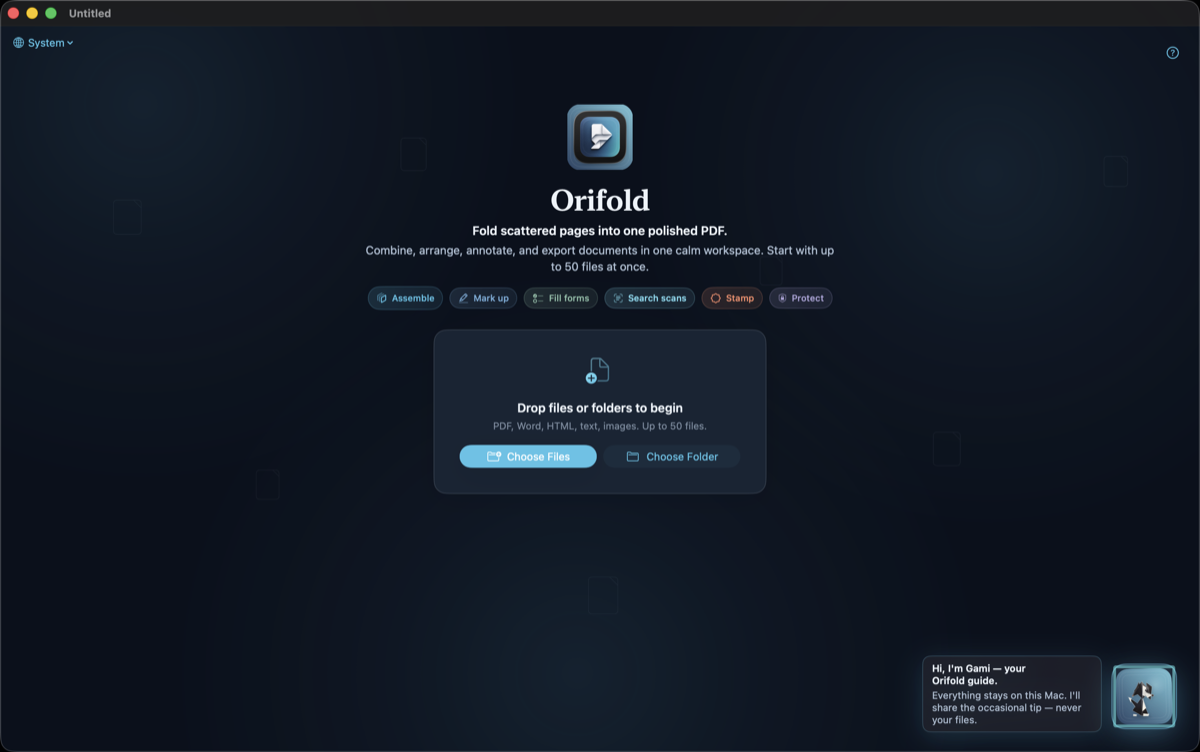
The empty-state screen, right after picking a companion.Historical capture (v0.8.1 source build); current controls may differ. -
Choose a starting point. Click Open sample document for a safe tour, or drag in 2–3 PDFs, images, or a Word document. In a short window, the file and sample actions appear before the feature tour so the first step stays reachable.
-
Arrange them. In the sidebar, drag whole documents into the order you want for the combined export. Within an expanded document, drag pages to reorder them inside that document.
Export once. Click Export in the toolbar, press ⌘E, or use File → Export. Choose PDF and save.
Merging isn’t a separate step — the workspace is the merge. Arrange documents, and reorder pages within each document when needed, then export once.
What you should see
Section titled “What you should see”One exported PDF containing the supported imported pages in the order you arranged them, saved where you chose. Reopen it and inspect the content before replacing an original.
You now know most of what Orifold does day to day.