
Reorder, rotate & delete pages
Your imported pages aren’t in the right order, need rotating, or include pages you don’t want in the final file.
- Open the sidebar page list.
- Reorder — drag a page to a new position, including into another document’s section when both affected sources are form-free. With VoiceOver, use the page or document row’s Move Up and Move Down actions for moves inside its current section.
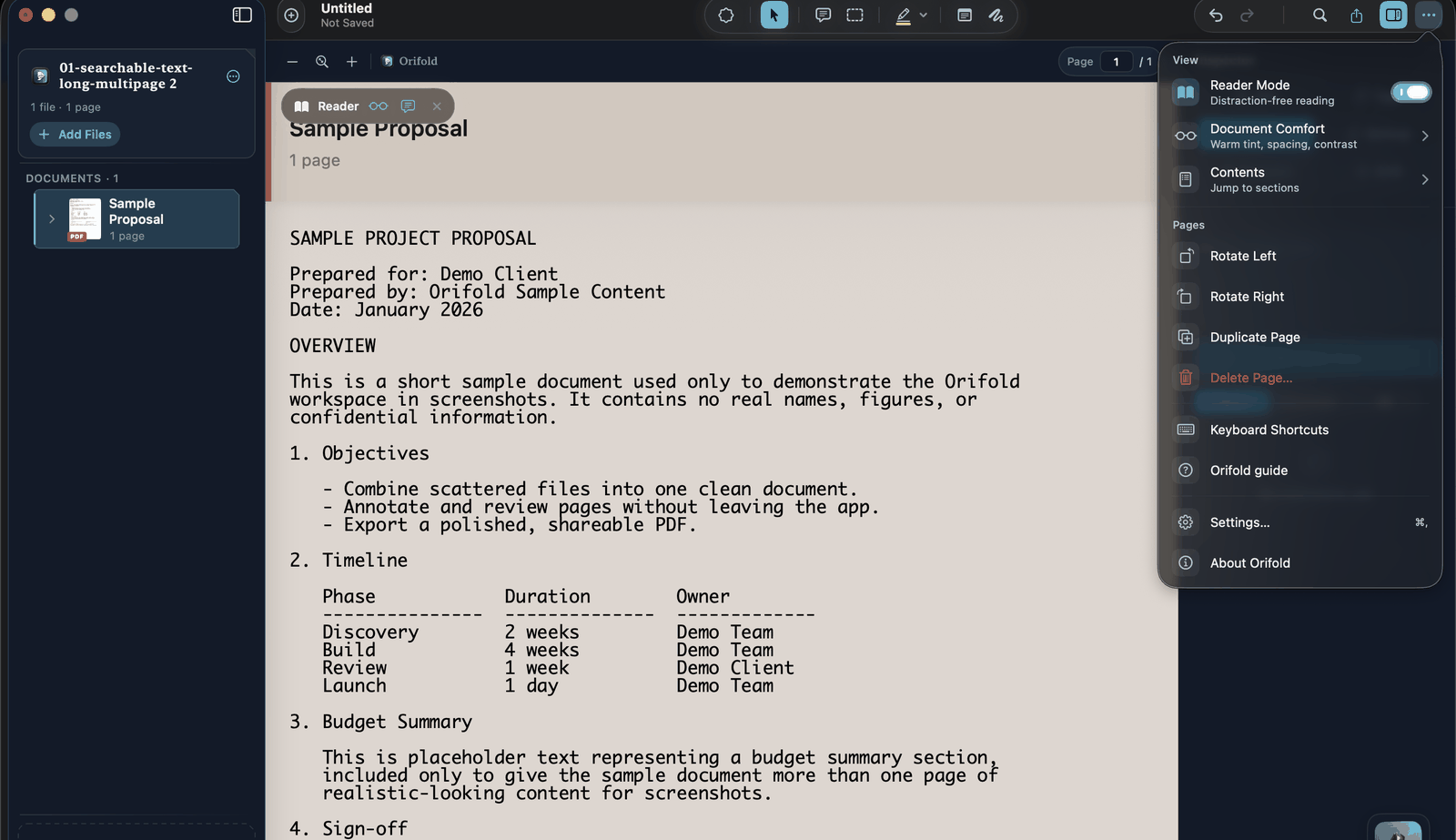
- Rotate — right-click a page and choose a rotation, or use Rotate Left / Rotate Right from the ··· menu’s Pages section for the page currently on screen.
- Delete — right-click a page and choose delete, or use Delete Page… from the same ··· menu.
Use ⌘Z to undo supported page operations while reviewing the workspace. Keep your original files and inspect an exported copy before sharing.
What you should see
Section titled “What you should see”The sidebar reflects your new order immediately; the canvas jumps to whichever page you last touched. Focus a document or page row and press Return to select it without a pointer.
Related
Section titled “Related”Preserve source documents
Section titled “Preserve source documents”Cross-document moves prepare both affected PDFs before changing the workspace. Form-bearing members are refused rather than risking invalid field references. Moves preserve the current live page state in supported form-free documents and participate in Undo.
Moving a source’s final page removes that empty source from the workspace. Transfer of its embedded attachments and other document-level catalog ownership is not verified. Keep that source file, inspect attachments in the resulting workspace and export, and avoid using a last-page move as an archival migration.
Cropping now carries the member’s printed page labels through apply, Undo, Redo, and editable save/reopen. It changes the visible crop box rather than permanently removing content outside it.