
Combine files into one PDF
When to use this
- You have six PDFs and two screenshots that need to become one attachment.
- A client sent revisions as separate files that all belong in one packet.
Import every file you want in the final document (drag them in, or ⇧⌘O).
-
In the sidebar, drag whole documents up or down to set their order in the combined export. Expand a document to drag its pages into a new order within that same document.
-
Delete or rotate any pages you don’t need.
-
Export once as a single PDF.
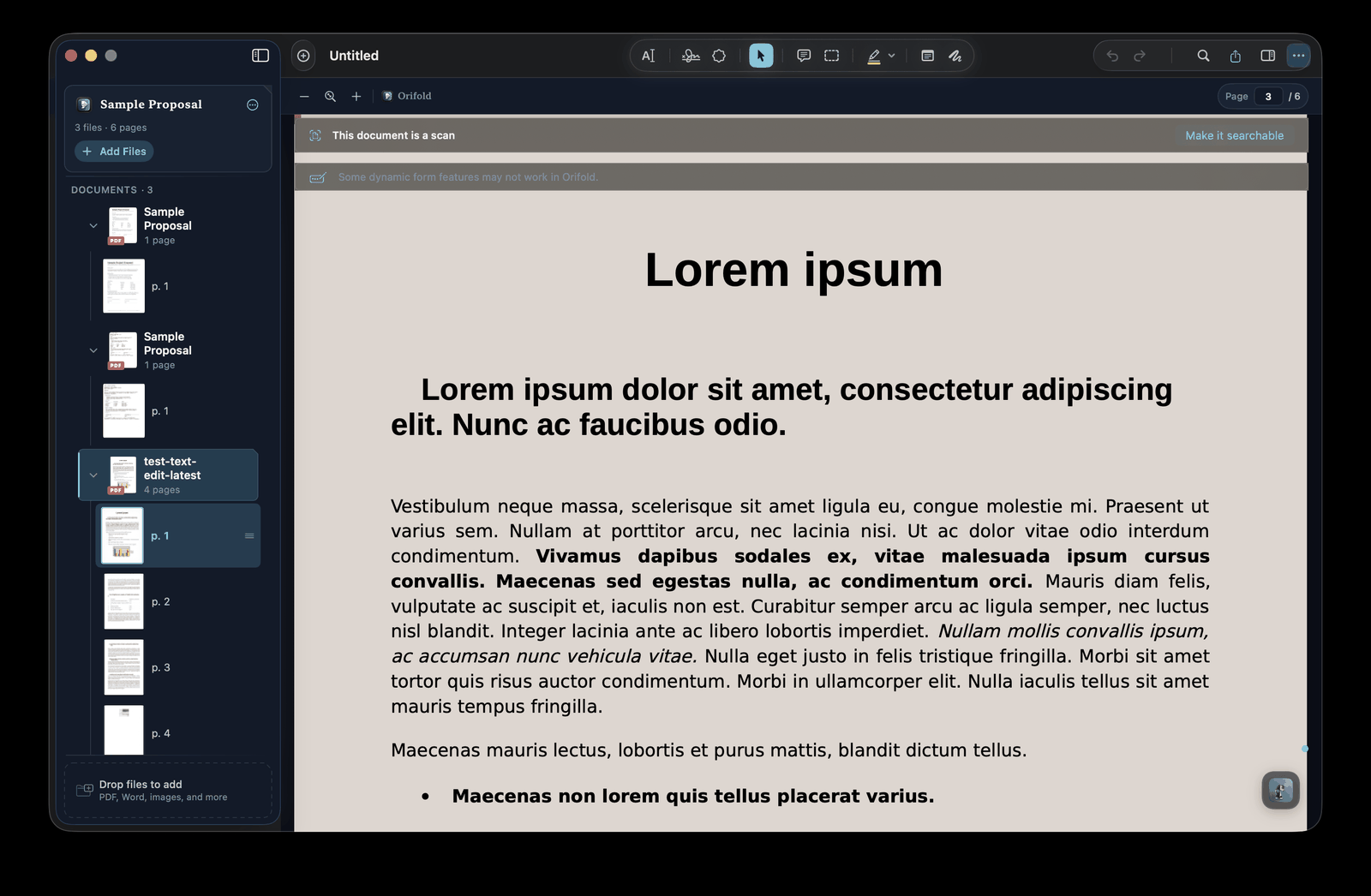
Order whole documents for the combined export, or reorder pages within the document they already belong to.Historical capture (v0.8.1 source build); current controls may differ.
Tip
Merging isn’t a separate step in Orifold — the workspace is the merge. Arrange the documents, and reorder pages within each document when needed, then export once.
What you should see
Section titled “What you should see”One exported PDF containing every imported document in the document order you arranged, with each document’s pages in its own arranged order.