
Edit existing PDF text
You need to visually correct a typo, date, or line of text on the PDF page.
Editing is still in beta, so a few edge-case text changes may act up. Feedback helps refine it across more document types.
- Click on a line of text in the canvas. If Orifold detects it as editable text, it becomes an inline text field.
- Type your changes. The editor starts with the detected text’s formatting and paragraph footprint.
- Use the formatting toolbar only for attributes you want to change, then choose Done or click elsewhere to commit.
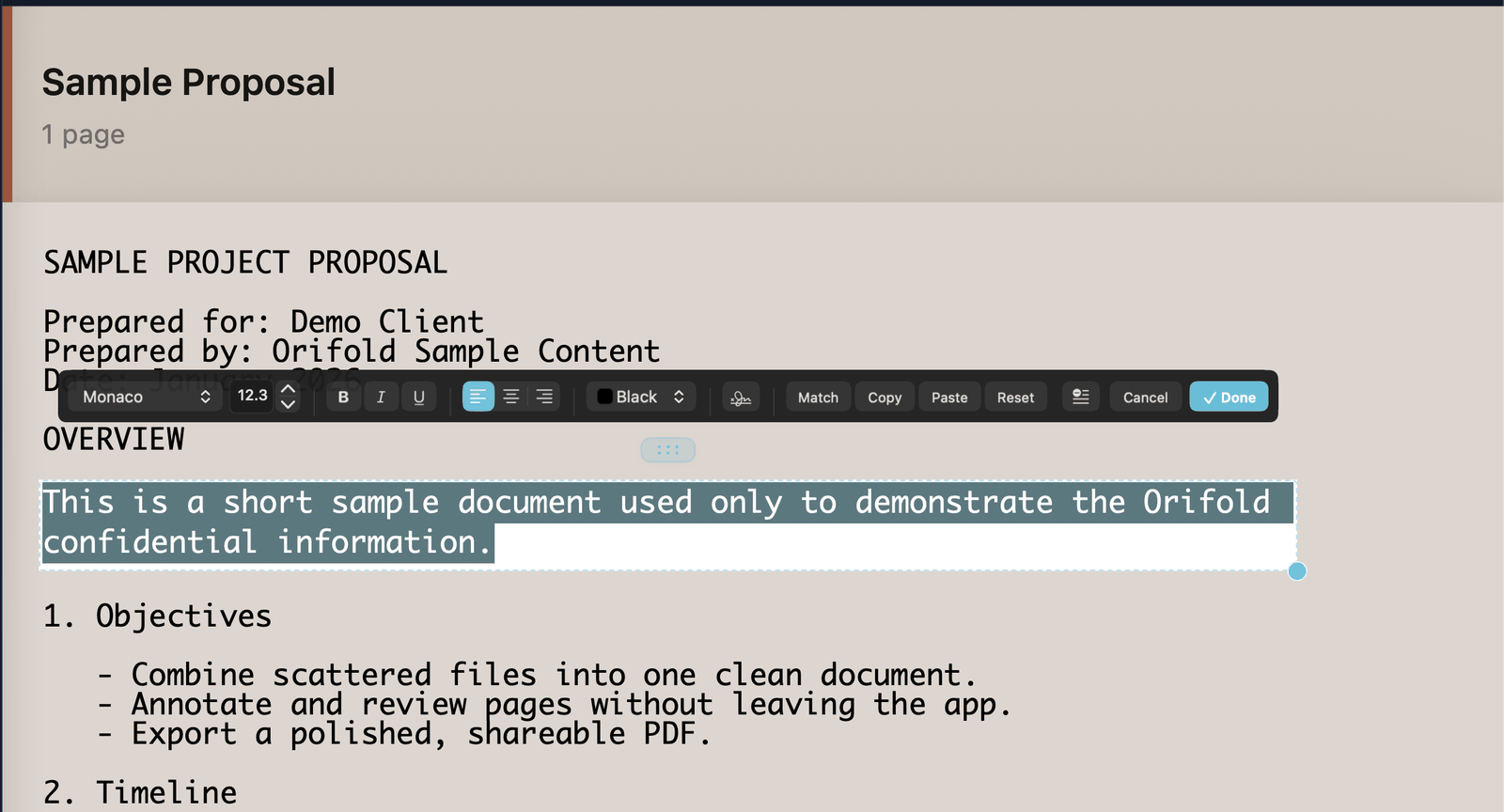
“Detected text” means text Orifold’s reader can identify directly in the PDF’s content stream. Scanned pages have no such text — run OCR first, then the recognized text becomes editable the same way.
Complex layouts (multi-column text, text wrapped around images) may not detect cleanly. If a line won’t activate for editing, try adding a new text box over it instead.
Inline text edits can coexist with object edits in the same document. Orifold regenerates both operation sets together, including after save and reopen.

Ori’s note: a scan is a picture of text, not text. Run OCR first — then the recognized text activates for editing just like any other.
What you should see
Section titled “What you should see”The replacement text renders in place on the page. Unless you change an attribute, Orifold retains the detected font family, size, bold and italic traits, underline, color, alignment, measured line spacing, and paragraph or column bounds.
Longer replacement text wraps from the source paragraph’s existing margins. Orifold grows the edit only when needed and refuses unsafe growth over nearby graphics instead of silently covering them.
Orifold uses metric-compatible bundled substitutes for common unavailable document fonts so replacement text stays closer to the original geometry. Continuous spell-check is on by default while you type; change it in Orifold → Settings.
This flow also works on text pages created when you import supported source documents such as Markdown, HTML, RTF, and plain text. When a same-format source export can map the edit unambiguously, Orifold patches the source while retaining its surrounding structure and formatting; otherwise it fails safely instead of silently flattening or changing the wrong occurrence.
How visual replacement works
Orifold measures where each glyph sits from PDFium’s real transforms, then covers the detected drawing and renders the replacement at the same geometry. This is a visual replacement, not structural removal: the original text may remain discoverable through search, copy/paste, extraction, or assistive technology. The Developer FAQ explains the rendering model in more detail.
Editing text visually replaces what’s drawn on the page — it does not remove the original content from the PDF file. Search, copy/paste, extraction, or assistive technology may still expose the original text. If you need to permanently destroy sensitive text, use Redact text & images instead.